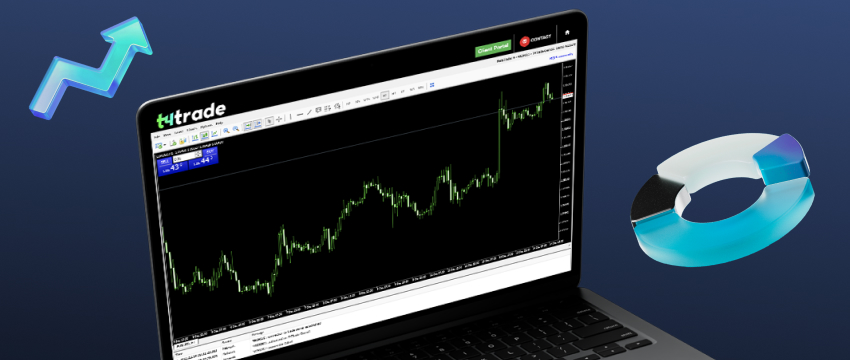

Modern markets can be ruthless when it comes to timing and speed, and for traders who want fast execution, a trading platform that is lagging can be frustrating. If you have ever felt your (Metatrader 4) MT4 speed slowing down at the exact moment you need it most, then you are not alone.
It doesn’t matter if you are placing your first trade or managing several charts, a reliable platform is crucial and can make a huge difference to your results.
A fast MT4 means quicker chart updates, smoother execution and less stress when the market conditions become fast-moving.
A slow platform, on the other hand, freezes charts and delays orders, which may result in many missed opportunities, especially during volatile news releases.
Although Metatrader 4 has been around for years, it remains popular because it’s stable, and familiar to millions of traders. The thing is that MT4, like any other tool, needs regular housekeeping to perform at its best.
Many traders overload the platform with unnecessary data, indicators, or background tasks that slow down performance over time. Fortunately, most speed problems can be addressed through simple adjustments that require no special technical knowledge.
If your trading platform is not as effective as you would like it to be, we have tried to provide a few tips to help you boost its potential. From cleaning up old files that are no longer useful, optimising charts or your internet settings, there are a few things you can do to enhance performance.
What slows down MT4 and affects its speed
Most slowdowns come from a predictable set of issues: overloaded chart history forcing the Terminal to process millions of redundant price points, heavy indicators and poorly optimised EAs chewing through CPU cycles, network latency, WiFi interruptions and slow broker servers, all add to the delay.
Once these bottlenecks are identified, improving speed becomes much simpler.
Platform-level optimisations that make an immediate difference
One of the quickest ways to speed up Metatrader 4 is by reducing chart history.
The platform doesn’t need the big archives of data to work, yet so many installations carry years of unnecessary information. Trimming the “max bars” value down to a decent level transforms rendering speed instantly.
Cleaning of the log files of the terminal is another powerful adjustment that is often overlooked. Metatrader 4 logs every session, every EA, and every price feed there ever was.
Over months, they build up into a heavy directory that weighs down the startup and background operations. Cleaning these files gives the terminal a fresh and uncluttered environment to operate in.
If the terminal is still slow after this, often a clean reinstall will fix any hidden configuration issues or corrupted files.
Creating fast, lightweight charts
MT4 performs best when charts are minimal and purposeful. Too many charts running at once, with too many indicators and drawing objects applied to each. Consolidate to only the essential charts necessary to reduce the load and sharpen your focus.
Lightweight templates featuring simple colours, minimal indicators, and no graphic-heavy objects will allow MT4 to redraw candles fast, even during volatile spikes. Removing gridlines, arrows and old shapes can also help clean up the workspace.

Streamlining indicators and expert advisors for mt4 speed
Indicators and EAs can be diametrically different from one another, recalculating on every tick draining CPU resources or simply being cleanly coded and thus barely noticeable. The key is auditing your tools and removing anything redundant or inefficient.
Unused indicators are slowing down MT4 because the terminal indexes them at its start. Archiving the rarely used tools will keep MT4’s directory lean and responsive.
Boosting speed through VPS optimisation
It’s transformational for algorithmic or news traders. Proximity matters-a server placed near your broker’s trading hub reduces latency dramatically. A VPS configured to run MT4 with minimal background services ensures consistent delivery of ticks and stable execution.
Improving network quality and connectivity for mt4 speed
Not even a fully optimised platform can overcome problems with your internet connection. A wired Ethernet connection provides far better stability than Wi-Fi, which is susceptible to interference from many common devices, such as microwaves and Bluetooth headsets.
Some forex traders reserve a single Internet line or router channel exclusively for forex trading, so as to avoid all other household activities from siphoning bandwidth during volatile sessions.
Broker infrastructure and execution MT4 speed
Performance isn’t all about the terminal-it’s about the broker’s infrastructure, too. Server clusters, routing logic, and execution models all play a decisive role here.
In general, ECN-type accounts are much faster than standard ones, while CFD brokers with more robust server architecture provide more reliable tick data and fewer interruptions.
Market watch management for better efficiency
Every symbol within Market Watch streams live data. Even if you don’t trade it, Metatrader 4 processes the feed.
Hiding unused symbols reduces both traffic and CPU load. A trimmed watchlist keeps the terminal focused and quick.
Settings that affect speed
Features such as the built-in news feed and constant alert scanning quietly weaken performance. By turning off news streams and alerts no longer in use, lightens MT4’s load.
Automated trading settings are also worth reviewing, as many EAs are set to process every tick when such EAs can be optimized for lighter activity.
Hardware choices to improve MT4 performance
Although it is not resource-intensive, MT4 still significantly benefits from modern hardware.
Running the terminal on an SSD eliminates micro-delays caused by mechanical drives.
Ensuring ample amounts of RAM avoids memory paging, and setting MT4 to high priority within the operating system gives the platform front-of-queue access to CPU cycles.
Optimising MT4 on mobile and web
MT4 Mobile works best when there are only a few active charts and as few indicators as possible. Smartphones lack the computational power of PCs, so cluttering is generally not a good idea.
With WebTrader, cleaning browser caches and disabling extensions can significantly improve performance.
Metatrader 4 Automated trading
Certain strategies require optimisation. Effective coding, correctly using buffers, and applying selective recalculations can significantly decrease the load.
In backtesting, the right quality of modelling relieves the excessive load: in most cases, tick-by-tick simulation is not required because strategy logic does not depend on it.
Monitoring MT4 speed performance over time
Traders need to regularly check resource usage, ping times, and chart responsiveness which will allow for early warnings of the development of problems.
Slow updates, delayed orders, or periodic freezing are obvious signs of growing inefficiency that needs to be addressed.
Common pitfalls that undermine MT4 speed
Traders often overload MT4 with far too much customisation like too many indicators, multiple EAs, or too many open charts which create a heavy and slow environment.
Running other resource-intensive programs parallel to MT4, such as video streaming, gaming, or even heavy browser sessions, will often starve the terminal of what it needs.

Keeping MT4 running smoothly
Routine housekeeping, such as clearing logs, updating indicators, and pruning symbol lists will help keep MT4 running smoothly.
Many developers optimise their indicators over time, so updating tools ensures better compatibility and performance.
When it might be time to move to MT5
Although MT4 remains widely loved, MT5’s multi-threaded architecture offers significant performance enhancements.
If you’re running complex algorithms in the Strategy Tester or using multi-symbol scanners, depth-of-market tools, or dense backtests, the upgrade will show clear improvements.
Speed as a competitive advantage
In a fast world where markets can reprice in an instant, MT4 speed is convenience but also, more importantly, a strategic advantage. A faster, cleaner terminal supports sharper decision-making, smoother execution and greater confidence under pressure.
Optimising MT4 might be technical housekeeping but it also demonstrates a disciplined approach to staying agile in a hyper-fast trading world.
Disklaimer: This material is for general informational and educational purposes only and should not be considered investment advice or an investment recommendation. T4Trade is not responsible for any data provided by third parties referenced or hyperlinked in this communication.